Review days have a way of dying quietly. You hand out the study guide, someone sighs, and by minute eight the room has checked out. I’ve seen it happen to good lessons and I’ve seen it happen to great teachers.
Blooket is one of the few tools that reliably pulls people back in. It’s free, it runs in a browser, and it turns your ordinary questions into a game kids will actually ask to play again. Below is how it works, how to get going, and a bunch of ways to use it that have nothing to do with the usual end-of-unit quiz.
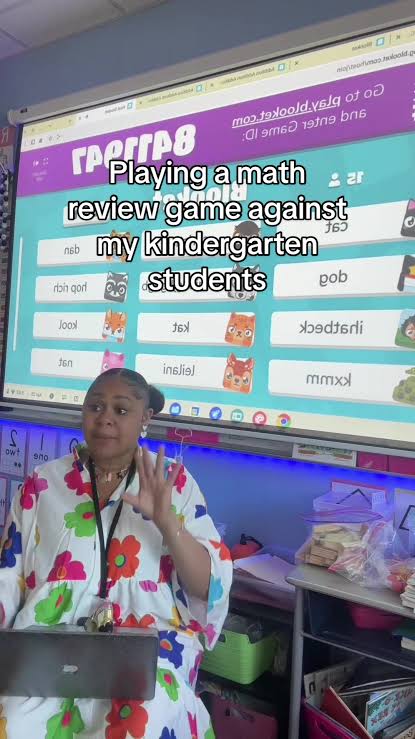
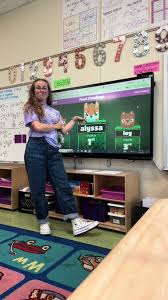
Blooket is a quiz-game site. You write a set of questions (or borrow one), pick a game mode, and get a join code. Students enter that code on whatever device they have, choose a name, and play. Right answers earn them points, gold, or other in-game rewards depending on the mode.
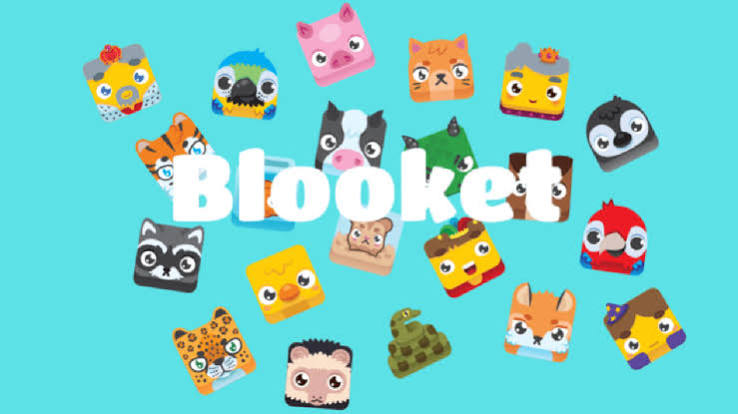
If Kahoot comes to mind, you’re not far off. The big difference is that Blooket doesn’t force one format on you. There are a lot of modes, and they feel quite different from one another. Kids also collect little characters called Blooks, which sounds silly until you watch a sixth grader beg for one more round to unlock a new one.
Setting it up
Honestly, it takes about ten minutes the first time.
Sign up with an email or a Google account. Then make a question set. You can type questions in by hand, import them from a spreadsheet, or search the public library, which is full of sets other teachers have already built. Next, choose a game mode and decide whether to host it live or assign it as homework. Finally, hand out the join code and let students in.
When it’s over, you get a report showing which questions were missed most.
One piece of advice: don’t debut it in your loudest class on a day you’re being observed. Try a short set with a smaller group first so you know where the buttons are. [Add your own first-time story here if you have one.]
Game modes, without the overwhelm
There are plenty of modes and you don’t need all of them. These are the ones I’d start with.
Gold Quest is the one most kids go nuts for. Correct answers let them open chests, and some chests let them take gold from other players. Because the lead can flip in a second, nobody gives up early. That matters more than it sounds.
Tower Defense is cooperative. The class answers questions to build up defenses against incoming waves. If you’ve got a group that turns every activity into a fight, this one calms things down.
Cafe is gentler. Students serve customers by answering correctly. Younger students and anxious test-takers tend to do better here, since it feels less like a race.
Racing is the easy one. Answer, move forward, repeat. Use it when you’ve got fifteen minutes and zero patience for explaining rules.
Modes like Crazy Kingdom, Factory, and Crypto Hack add resource management and strategy. They’re fun with older kids, but wait until you’ve got the basics down. Blooket also changes its lineup from time to time, so look at what’s currently on offer when you build a game.
Ideas that go past plain review
Review is fine. It’s just not the most interesting thing you can do with the site.
The walk-in warm-up. Put up a five-question solo game as kids come through the door. By the time you’ve finished attendance, they’re focused, and you’ve learned what survived from yesterday without saying a word.
A pre-test. Before a new unit, run a set on what you’re about to teach. If everyone knows the vocabulary already, don’t spend two days on it. If nobody does, you’ve just saved yourself an awkward surprise.
Let students write the questions. I’d argue this is the best idea on the list. To come up with a believable wrong answer, a kid has to understand the mistake people usually make. That’s a lot more thinking than picking a, b, c, or d. Collect the best questions, build a class set, and watch how seriously they take a game they helped make.
Team rounds. Put students in groups with one device each. They have to argue it out before anyone clicks, so what was a solo activity becomes a discussion. It’s also a lifesaver if your school’s devices are limited.
Homework mode. You can open a game for a few days and let students play whenever. Plenty of them will replay it just to move up the leaderboard. That extra practice is exactly what you were hoping for, and nobody had to fill out a worksheet.
A station in your rotation. If you run centers, give Blooket one chair-cluster. A small group plays a short set while you work with another group. They stay busy and you stay sane.
Sub plans. Leaving instructions for a substitute is a headache. A ready-made set and one line (“go to the site, enter this code”) means the sub doesn’t need to know your content at all, and students still practice something real.
Vocabulary drills. Terms and definitions turn into questions in about two minutes. Run the same set a few times over a week and the scores climb in a way kids can actually see.
A reward at the end of a rough unit. Sometimes a class has earned a game. Use it that way once in a while.
Writing better questions
A game with bad questions is just a distraction with a leaderboard. A few habits help:
Keep each question short. Nobody reads a paragraph at game speed.
Make wrong answers believable. If one choice is a joke, it’s not doing any work.
Mix easy and hard. Early wins keep kids confident enough to try the tough ones.
Use images when they actually help, like maps, diagrams, or graphs.
Aim for somewhere around ten to twenty questions. Much longer and it drags. Much shorter and it’s over before anyone cares.
Keeping the room under control
Games get loud. That’s part of the deal, and I wouldn’t fight it too hard. But set the ground rules before you share the code: how loud is acceptable, and what happens if someone abuses the platform. Ask for real first names or approved nicknames. Without that, you’ll end up with a leaderboard full of jokes you’d rather not read aloud.
The other thing is the debrief. Once the game ends, pick two or three questions lots of kids missed and go through them together. People skip this step because the energy is high and they don’t want to kill the mood. Don’t skip it. That’s where the learning actually sticks.
What to do with the results
The report shows you which questions tripped people up and how each student did. If most of the class missed the same item, take a hard look at how you taught it. Maybe it’s the question, maybe it’s the lesson. If one or two students keep struggling, you’ve found who needs a check-in.
Don’t turn the scores into grades, though. A student who reads slowly or panics around timers can land at the bottom without lacking any understanding. Treat the numbers as a conversation starter and leave it there.
When it might not fit
Some kids hate competition. If you’ve got a few like that, lean on cooperative modes or let them play against their own past scores. Not every game needs a winner.
And watch the frequency. If every Friday is Blooket, the shine fades fast. Keep it special enough that students are glad to see it show up.
Wrapping up
Blooket works because kids already love games and you already need them to practice. It just puts those two things in the same room. Start with one set and one mode, see how your class reacts, and adjust. Then try the more adventurous stuff like student-written questions or team rounds.
You don’t need to rebuild your classroom around it. You just need decent questions and a little tolerance for noise.
Disclaimer:
Blooket.blog is an independent educational resource and is not affiliated with, endorsed by, or sponsored by Blooket Inc. All product names and trademarks belong to their respective owners. Game modes and features may change over time, so please check the official Blooket website for the most current information.


Pingback: blooket.blog Blooket Troubleshooting: Fix Login Failures and Games That Won’t Load